How to Turn Your Website Into a Video (in Minutes, Not Weeks)
Your site already has the colours, the story and the proof. Here is how to turn it into a film that looks like your brand, without a studio or a three-week wait.

Lucian Budeanu · CEO & Founder
· 7 min read
To turn a website into a video, take four things from the site and cut them into a 20 to 40 second story. Take the promise in your headline, two or three proofs, your brand’s colours, fonts and logo, and the one action you want people to take. Open on the promise, show how it works, prove it, then ask. Export that one story in 9:16, 4:5, 1:1 and 16:9 so it fits every feed.
You can build it by hand in a video editor over a few days, start from a template in an afternoon, or paste your link into a tool that reads the site for you and get a first draft in minutes. This guide covers what to take from the site, a structure that holds attention, how to keep it on-brand, the formats to export, and a checklist for before you post.
What your website already gives you#
Most businesses already have a video script. It is sitting on their homepage. Somebody spent weeks on the headline, picked the three benefits that matter, chose the colours and wrote the button text. A good website video reuses that work instead of starting from a blank timeline.
| On your site | In the video | Why it matters |
|---|---|---|
| The headline | The hook, on screen in the first two seconds | It is already your sharpest one-line promise |
| Benefits or features | Two or three scenes, one idea each | One message per scene is what people remember |
| Numbers, reviews, client logos | The proof scene | Real figures persuade; invented ones backfire |
| Colours, fonts, logo | The whole look, every frame | The film should be recognisable with the logo covered |
| Product shots or app screens | The main visuals | Your product beats stock footage every time |
| The button text | The ending and the address | One clear action, the same one your site asks for |
Leave out what only works on a page: long paragraphs, navigation, cookie banners, anything that needs reading time. A video gives each line two or three seconds. If a sentence does not survive that, it belongs on the site, not in the film.
A 30-second structure that holds attention#
Short brand videos fail in one of two ways: nothing happens in the first seconds, so people scroll away, or too much happens at once, so nothing sticks. This five-beat structure avoids both. The timings are for 30 seconds; stretch or squeeze them in proportion.
- 1
0 to 2 s: the hook
Your promise, in big type, before anything else. If someone watches only this, they should still know what you do.
- 2
2 to 8 s: the problem
The situation your customer is in, in their words. One line is enough.
- 3
8 to 20 s: how it works
Two or three beats that show the product doing its job: screens, shots or steps. Show, do not list.
- 4
20 to 26 s: the proof
A number, a review or a recognisable client. Only what you can back up.
- 5
26 to 30 s: the ask
One action and your address on screen long enough to read.
Write every line so it works with the sound off. Many people scroll through feeds muted, so the words on screen carry the story and the voice or music adds to it. Keep captions to a few words each, large enough to read on a phone at arm’s length.
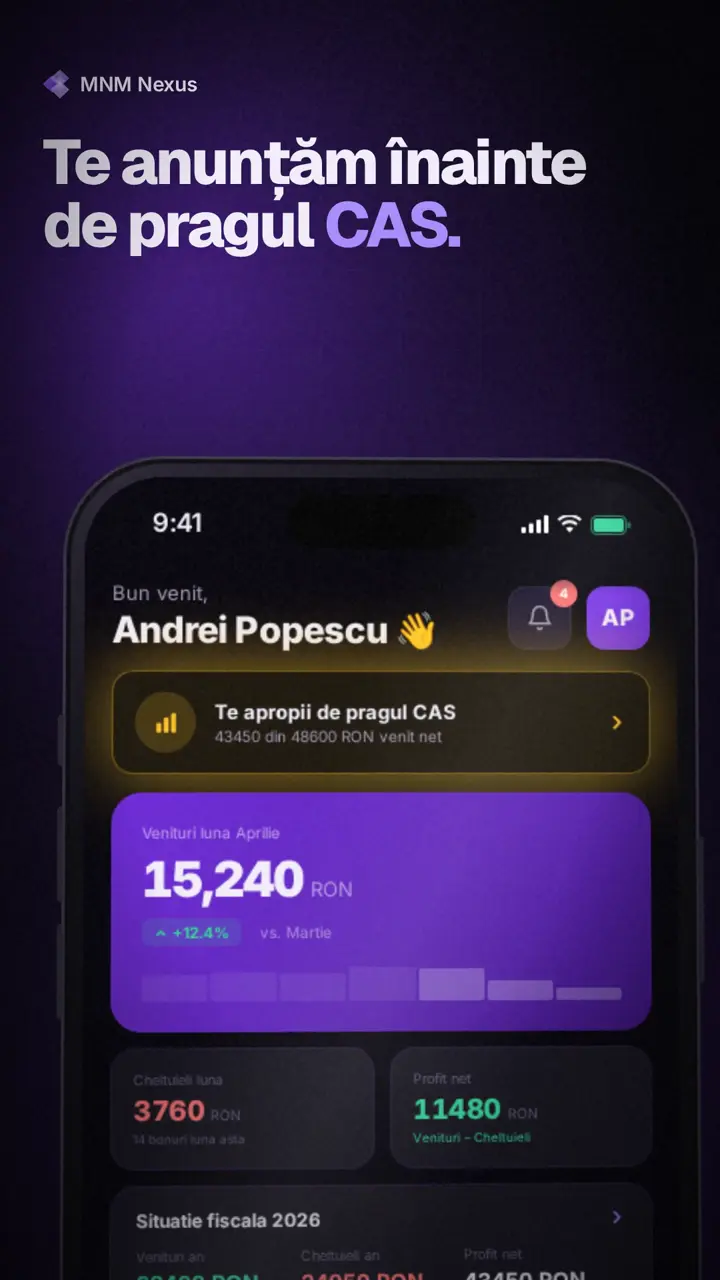
The MNM Nexus demo below follows this shape: the hook lands on the first frame, then the app’s own screens build up from income to the tax alert, with captions that work without sound.
Keep it on-brand#
“On-brand” is easy to say and easy to miss. The test is simple: cover the logo and ask whether a customer would still know whose video it is. If the answer is no, the film is a template with your name on it.
- Use your real fonts. A lookalike typeface is the fastest way to make a video feel off. If your site uses a web font, your video can use the same one.
- Use your palette with intent. One background colour, one text colour and one accent, as on your site. The accent goes on the one word or number that matters in each scene.
- Check contrast. Text that reads on a laptop can vanish on a phone in sunlight. Light text on a dark ground, or the reverse, never mid-grey on mid-grey.
- Keep your voice. If your site says “book a table”, the video should not say “reserve your dining experience”.
The Orus film at the top of this post shows how far a site can carry a film. We took the palette, fonts, mark and mountain imagery from their site, and the numbers on screen are the live figures and decision log published there, losses included. Nobody had to invent a thing.
Export every format from one master#
Each platform wants a different shape, and a film cropped to fit usually loses its edges: the logo, the last word of a caption, the price. Plan one story and lay it out again for each format instead of cutting one file down.
| Format | Size | Where it goes |
|---|---|---|
| 9:16 | 1080 × 1920 | Instagram Reels, Stories and feed video, TikTok, YouTube Shorts |
| 4:5 | 1080 × 1350 | Facebook feed, most feed ads |
| 1:1 | 1080 × 1080 | LinkedIn and X feeds, marketplaces |
| 16:9 | 1920 × 1080 | YouTube, your site's hero, presentations |
Vertical formats also have safe zones: the platform’s buttons and captions cover the top and bottom of the frame, so keep text and faces in the middle. Our Reels, TikTok and Shorts specs and Facebook and Instagram ad specs list the exact sizes, lengths and safe zones.
Three ways to make it, and how long each takes#
| Route | Time to a first cut | Good for | Watch out for |
|---|---|---|---|
| By hand in an editor (After Effects, Premiere, CapCut) | Days | Full creative control, complex shots | Every format and every change is manual work |
| A template tool | An afternoon | Quick social posts | The same look as everyone else using that template |
| From your URL with AI | Minutes | On-brand drafts in every format | Check every fact and line before you post |
By hand is the right call for a brand film with a shoot behind it. It is slow for everyday marketing: a new price or a new feature means reopening the project, and each format is its own edit.
Templates are fast, and fine when the video is a small part of a post. The catch is that a template is designed for no one in particular, so your film looks like the template rather than like you.
From the URL is what we built loudscene for. You paste your link; it reads your colours, fonts, logo, images and words, writes a short story for your brand and animates it in 16:9, 9:16, 1:1 and 4:5. Each video is written for your story rather than filled into a template, every scene is checked for text that overflows, overlaps or is too small to read, and every word, number and colour stays editable in the browser. It only uses facts from your site and brief, but you still read it through before you publish.
If you are weighing tools, our comparison of AI video generators for small business covers the main options, including where loudscene is not the right pick.
Before you publish: a checklist#
- The first two seconds say what you do, without sound.
- Every number, price and name matches your site today.
- Each caption can be read in the time it is on screen.
- Text stays inside the safe zone in every vertical format.
- The last scene shows one action and your address.
- You have the rights to every image, clip and piece of music.
- You exported each format you plan to post, not one file cropped by the platform.
Questions
Asked often.
How long should a website video be?
For social feeds and ads, 15 to 30 seconds. For the hero of your own site or a product page, 30 to 60 seconds works, because the visitor has already chosen to be there. Start short: it is easier to extend a video people finish than to rescue one they skip.
Do I need to write a script first?
Not from scratch. Your homepage headline, your main benefits and your button text are most of a script already. Cut each to a line that can be read in two or three seconds, add one proof, and you have it.
Which format should I make first?
Make 9:16 first if the video is for Reels, TikTok or Shorts, and 4:5 if it is for feed ads. Plan the layout so it can be redone for 1:1 and 16:9 rather than cropped.
Can I use my own photos and footage?
Yes, and you should: your product and your place beat stock footage. In loudscene the images come from your site, and you can upload your own and swap any of them in the editor.